


Phase 10: Casual Card Game
4.758.83K Reviews
App Specs
- Version
- 1.15.5013
- Updated On
- License
- Free
- Downloads
- 10,000,000+
- Developer
- Mattel Game Studios HK Limited
- Categories
- Card
- Platform
- Android, iOS
Screenshots




 Analysis by AppCompare
When a household shares a tablet or a phone, a card game can be an easy way to fill a quiet stretch without setting up a physical deck. Phase 10: Casual Card Game brings the familiar phase-building challenge to a screen, so I can imagine using it while waiting for dinner, during a long journey, or when relatives want something more involved than a quick matching game. The main appeal is that it asks players to work toward specific combinations, rather than simply discard cards as fast as possible. That gives a round a sense of direction, though luck still has a say in how smoothly a plan comes together.
I’d think of this as a shared pastime, not automatically as a shared account or a family-management tool. If several people take turns on one device, it is worth deciding whose profile or progress is in use before starting. That simple conversation can prevent confusion later, especially if one person wants to play alone and another expects a group match. I would also agree on whether the household is playing casually or trying to win; the same rules can feel very different when someone is learning and another player is already planning several turns ahead.
Making a shared device work
On a common screen, the practical question is less about who owns the device and more about keeping turns and expectations clear. I’d hand the phone to the next player only after the current turn is finished, and I’d avoid leaving a game open if someone else may pick it up without knowing whose turn it is. That is ordinary shared-device courtesy, but it matters in a game where a missed decision can change what cards are available to the next person.
If you are bringing new players in, give them a round to understand the phase they are pursuing before treating their choices as mistakes. A useful approach is to explain the goal in plain language, then let them learn the timing of when to hold or play a card through the game itself. Advice is most helpful when it clarifies options rather than choosing for them. This keeps a family game from turning into one experienced player directing everyone else.
Matching the game to your group
The game’s card-based structure makes it a better fit for people who enjoy a little planning than for anyone looking for a game that is over almost as soon as it begins. The familiar physical version is a natural alternative when everyone is in the same room and wants to handle cards, talk freely, and share a table. A simple digital card game may be a better fit for a very short break. This app sits between those choices: it keeps the phase objective central while making it possible to play on a mobile device.
I’d recommend it to households with players who are happy to take turns thinking and can accept that a good plan may still depend on the cards they draw. I’d skip it for a group that wants a purely cooperative activity, a fast reflex game, or a screen-free evening. It can also be a poor fit when people have very different patience levels: someone who wants to learn at a relaxed pace may not enjoy being rushed by a more competitive player.
As a card game from Mattel163 Limited, it carries a recognizable name, but I would still make the choice based on the group rather than the brand. The game is free to install, while in-app purchases range from $0.99 to $399.99 per item. That wide span is a reason to review purchase settings on a shared device and make sure younger players know that optional digital spending is not part of the basic card-game objective. I would not let a child use a shared payment method without an adult setting clear boundaries first.
Worth Reading Before You Choose

Flipboard Shows What News Apps Must Do Beyond the Feed

Switching to Android Auto Means Rethinking Your Driving Routine

Google Calendar Makes a Crowded Week Easier to Manage

Ludo King Makes the Most of the Minutes Between Plans

Baby Panda World Brings Quick Play to Modern Phones, but Its Game Library Feels Busy

ESPN’s Live Game View Makes Following Close Games Easier
The age rating is Everyone, which makes the theme broadly approachable, but an age label does not decide whether a particular child is ready to play independently or use social features. I would stay nearby for younger players, especially if they are using a shared device, and make sure they understand the household’s rules about purchases and talking to other players. That is a sensible routine for any game used by several people, not a claim that the app has a particular family-control system.
For a low-friction family session, I’d choose one person to start the game, let each player take a turn without coaching from the whole room, and pause between rounds to check whether everyone wants to continue. If friends or relatives are playing remotely, decide in advance how you will coordinate the session and what counts as a convenient stopping point. In-game social tools can add a sense of connection, but they do not replace agreeing on a time or making sure everyone understands how the group is playing.
The practical trade-off is that the app can make a card game available whenever a device is nearby, while the screen and online elements can distract from the face-to-face part of a gathering. If the point is conversation, I’d keep the device in the middle and take turns rather than letting each person retreat into a separate screen. If the point is a quick solo break, playing alone avoids that coordination altogether. Knowing which kind of session you want makes it easier to decide whether this digital version is the right choice.
There is also a useful way to approach the game when you are learning: focus on the current phase instead of trying to predict every possible move from the beginning. Once you know what combination you need, pay attention to whether a card helps that goal or is merely attractive to keep. I find that this keeps decisions manageable and makes the luck-and-planning balance easier to appreciate. In a mixed-experience group, experienced players can explain their reasoning after a turn rather than interrupting someone while they choose.
The app has an average rating of 4.7 from around 593,000 ratings, and it has been installed over 10 million times. Those figures suggest that many players have found an audience for this take on the card game, but they do not guarantee that every household will enjoy its pace or social style. I would treat them as context, then decide based on whether your group likes set goals, repeated rounds, and the occasional unlucky draw.
Getting Started with Phase 10
Jumping into Phase 10: Casual Card Game is as easy as pie. As soon as you open the app, you’re greeted with a vibrant and intuitive interface that’s both welcoming and easy to navigate. The game walks you through a quick tutorial, ensuring you grasp the basics without any hiccups. It’s like having a friendly guide by your side, making the entry into the game world smooth and enjoyable.
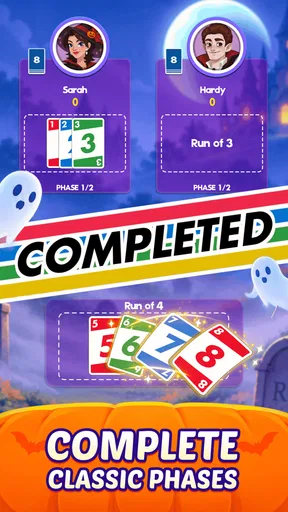
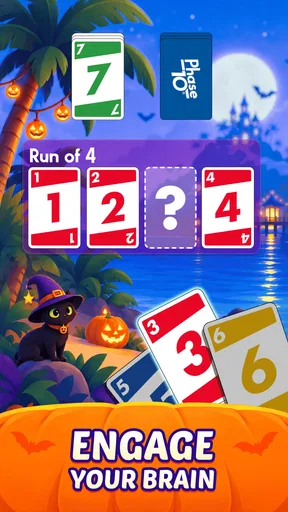
The app is structured around completing 10 different phases, each with its own unique set of card combinations. It’s kind of like solving a puzzle, and the satisfaction you get from completing a phase is akin to finishing a challenging crossword.
Gameplay and Features
One of the coolest things about this app is the variety of modes it offers. You can choose to play solo against AI opponents, which is perfect for those times when you just want to chill and enjoy a game at your own pace. But if you’re feeling competitive, jump into multiplayer mode and challenge your friends or players from around the world.
The game’s social features are a definite highlight. You can connect with friends, send messages, and even engage in friendly banter through an in-game chat. It adds a layer of connection that’s often missing in mobile games.
Also, the graphics are top-notch. They’re bright, colorful, and add a lively touch to the overall experience. The animations are smooth, and the sound effects perfectly complement the gameplay without being overwhelming.
Why You’ll Keep Coming Back
What keeps me coming back to Phase 10: Casual Card Game is the dynamic nature of each game. No two games feel the same, thanks to the combination of luck and strategy involved. It’s like playing a new game every time you start a new round.
The app also offers daily challenges and rewards that incentivize you to keep playing. It’s these little incentives that make logging in daily a rewarding experience. Plus, who doesn’t love a good challenge?
Another thing to note is how well the app runs. I didn’t experience any lags or crashes, which is always a relief. It seems like the developers have really put in the effort to ensure a smooth gaming experience.
"It’s like having a deck of cards in your pocket but with a digital twist that makes it all the more exciting."
In conclusion, Phase 10: Casual Card Game is a fantastic way to kill time, connect with friends, and enjoy a classic card game with a modern twist. It’s engaging, fun, and perfect for both short and long play sessions. So, if you haven’t tried it yet, give it a whirl. You might just find yourself hooked!
What to expect over time
The app is free, so trying it does not require an upfront purchase. Optional in-app purchases range from $0.99 to $399.99 per item, which is a broad enough range that I would check purchase settings before handing a device to a child or leaving it available to younger family members. The basic attraction is the card play itself; I would not treat spending as necessary to understand whether the game suits you. If you prefer a completely purchase-free environment, a physical deck is the more straightforward household choice.
Phase 10: Casual Card Game is listed as version 1.13.6149 and requires Android 5.0 or later. It was released on October 11, 2019, and is rated for Everyone. The app’s current presentation may change as it is updated, so I would not base a decision on expecting every screen or routine to remain exactly the same over time. The useful question is whether the core phase-based card play fits your group.
My household verdict is that this is a good option when players want a familiar card-game rhythm with goals that reward patience, and when someone is willing to manage turns and shared-device expectations. I’d choose the physical version for a room full of people who value conversation and handling cards, and a lighter, quicker game for short attention spans. But for solo practice, casual play, or a group that enjoys gradually working through changing combinations, this mobile version offers a convenient way to bring Phase 10 into an ordinary day.
Pros
- Easy-to-learn rules for quick play.
- Visually appealing graphics enhance gameplay.
- Variety of phases keeps it engaging.
- Smooth multiplayer experience with friends.
- Frequent updates bring new features.
Cons
- Can become repetitive over time.
- In-app purchases can be pricey.
- Occasional connectivity issues.
- Ads can disrupt the flow of the game.
- Limited offline functionality.
FAQs for Phase 10: Casual Card Game
What is Phase 10 and how is it played?
Phase 10 is a popular card game that requires players to complete ten different phases in order. Each phase has specific requirements, such as collecting a set number of cards or forming specific sequences. The game combines elements of strategy and luck, making it engaging and challenging for players of all ages.
Is Phase 10 free to download and play?
Phase 10 is free to download on both Android and iOS platforms. However, the game offers in-app purchases which can enhance the gaming experience. These purchases often include additional features, power-ups, or ad-free gameplay. Players can enjoy the core game without spending money, but optional purchases can provide added convenience and fun.
Can I play Phase 10 with friends online?
Yes, Phase 10 supports multiplayer functionality, allowing you to play with friends online. You can invite friends to join your game or match with random players worldwide. This feature enhances the social aspect of the game, making it a great option for those looking to connect with others while enjoying a classic card game.
Are there any tips for succeeding in Phase 10?
Success in Phase 10 often involves strategic planning and a bit of luck. It's important to keep track of the cards your opponents are collecting and anticipate which phases will be most challenging. Managing your hand efficiently and prioritizing the completion of phases can give you an edge over your opponents. Practice and patience also play a crucial role.
What should I do if I encounter technical issues with the app?
If you experience technical issues with Phase 10, there are a few steps you can take. First, ensure your app is updated to the latest version. Restarting your device or reinstalling the app can resolve many common problems. If issues persist, you can contact the app's customer support through the official website or app store for further assistance.


